Customization
The design settings allow you to configure the general and aesthetic aspects of your online store.
These settings are divided into various sections, each dedicated to different aspects of the store’s appearance and functionality.
Themes
Themes are a set of pre-defined colors schemes for your store. You can choose from a selection of themes to suit your store’s needs. While the theme allows you to quickly change the color scheme of your store, you can also customize some of the colors of your store manually from the “Appearance” section of each page.
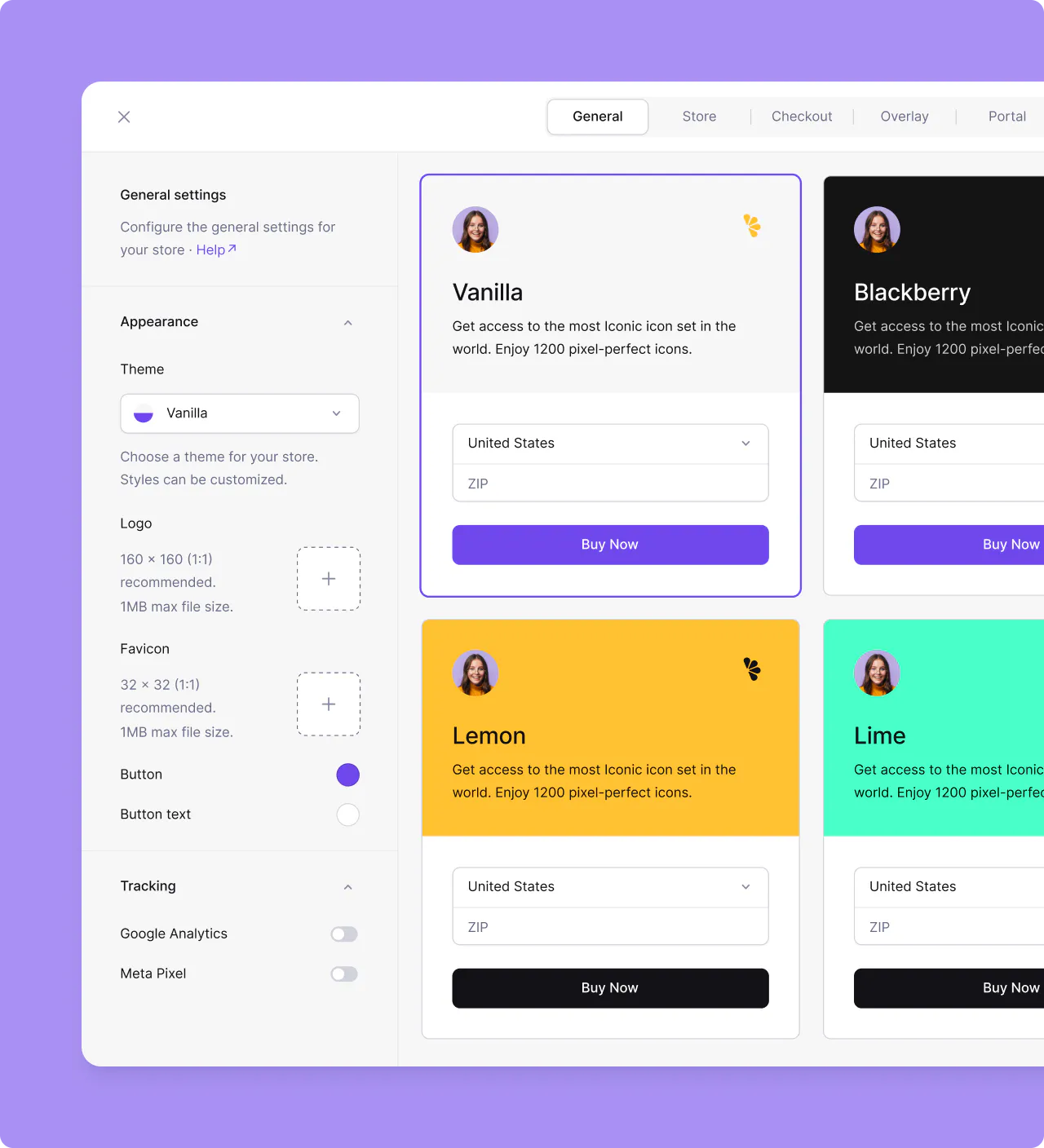
You can also customize Button and Button text colors, which changes the color of buttons and their text respectively for all themes. You can also override the button color for each page from the Appearance section of each page.
Checkout language
You can set a default language for your checkout page from the Checkout section in Design settings. By default, the checkout language is set to Automatic, which uses the customer’s browser language. If you’d like to enforce a specific language for all customers, select one from the Language dropdown.
The checkout language is resolved in the following order of priority:
- Checkout-level locale — If a
localeis set via the checkout APIcheckout_options, it takes the highest priority. - Store-level locale — The default language configured in your store’s checkout design settings.
- Browser language — The customer’s browser language, detected automatically.
Supported languages
| Code | Language |
|---|---|
bg | Български (Bulgarian) |
hr | Hrvatski (Croatian) |
cs | Čeština (Czech) |
da | Dansk (Danish) |
nl | Nederlands (Dutch) |
en | English |
et | Eesti (Estonian) |
fil | Filipino |
fi | Suomi (Finnish) |
fr | Français (French) |
de | Deutsch (German) |
el | Ελληνικά (Greek) |
hu | Magyar (Hungarian) |
id | Bahasa Indonesia (Indonesian) |
it | Italiano (Italian) |
ja | 日本語 (Japanese) |
ko | 한국어 (Korean) |
lv | Latviešu (Latvian) |
lt | Lietuvių (Lithuanian) |
ms | Bahasa Melayu (Malay) |
mt | Malti (Maltese) |
pl | Polski (Polish) |
pt | Português (Portuguese) |
ro | Română (Romanian) |
ru | Русский (Russian) |
zh-CN | 简体中文 (Simplified Chinese) |
sk | Slovenčina (Slovak) |
sl | Slovenščina (Slovenian) |
es | Español (Spanish) |
sv | Svenska (Swedish) |
th | ไทย (Thai) |
tr | Türkçe (Turkish) |
vi | Tiếng Việt (Vietnamese) |
Overriding theme colors
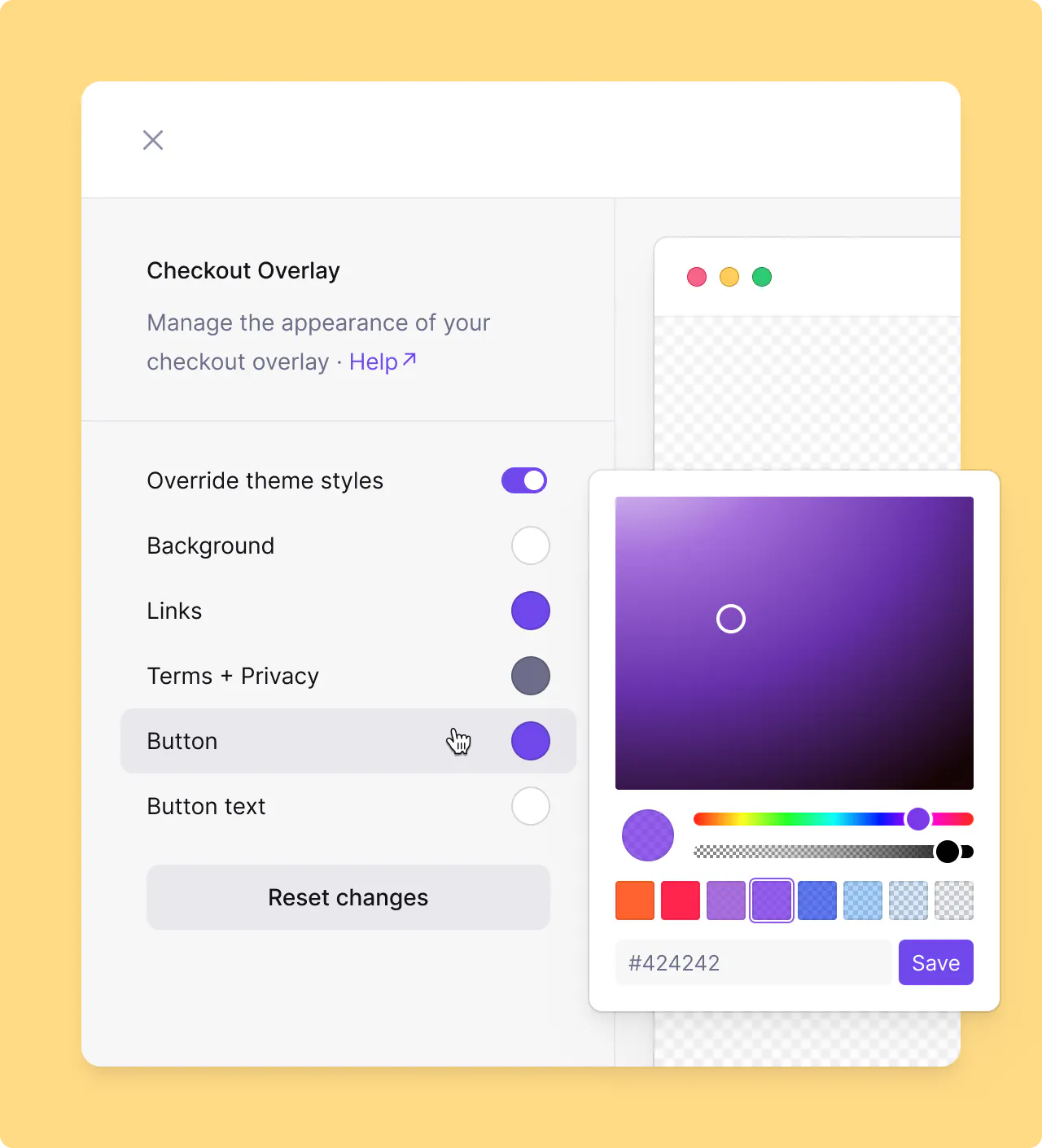
Each page in Design allows overriding the theme colors for that page. This allows you to gain finer controls across variety of your store pages like Store, Checkout, Overlay checkout, Customer Portal, Emails, etc.
Note
When overriding theme colors, each page may offer different set of controls for overidding the colors.